Keiki Learning games for Kids
- 4.6
- Rating
- 5.00M
- Installs
- Free
- Price

 Analysis by App-foxy
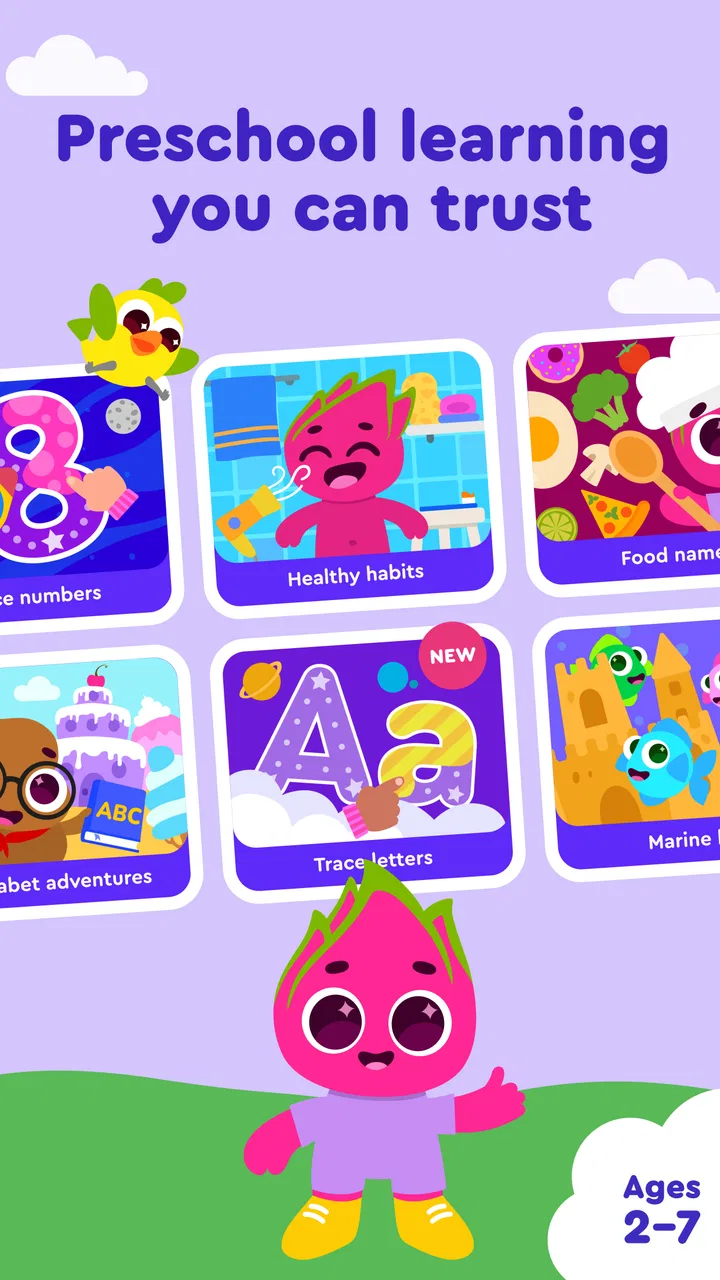
Keiki Learning games for Kids is the kind of educational game I would put in front of a young child when I want learning to feel more like play than a worksheet. It focuses on early skills such as numbers, letters, and kindergarten preparation, with activities aimed at children around four and five years old. I found the idea appealing because the app does not ask a preschooler to sit through a long lesson before doing anything enjoyable; the attraction is immediate, colorful interaction and short learning tasks.
That said, I would not treat it as a complete early-learning program. It works better as a friendly practice tool that fits into small parts of the day. A parent still needs to decide when to step in, when to let the child try alone, and when to stop. The game can make repetition easier, but it cannot replace conversation, drawing with real materials, counting objects around the home, or the patience of an adult explaining something in a different way.
How the first goals shape the experience
The early goals are easy to understand: recognize letters, become more comfortable with numbers, and build confidence with basic kindergarten concepts. That clarity matters for this age group. A child does not need a complicated story or a dense menu of academic subjects; they need an activity that gives them one small thing to do and an obvious reason to try again.
You May Also Like

 Blood Strike: 2.5 Anniversary
Blood Strike’s Loadouts Turn Every Drop Into a Tactical Gamble
A close look at Blood Strike’s custom loadouts: how fast access to signature weapons reshapes its battle royale rhythm, rewards preparation, and narrows the gap between fights.

 Pandora - Music & Podcasts
Pandora’s Music Is Easy to Start, but Harder to Recover
Pandora’s strength is its low-effort path from a seed to a station. Its weak spot is how much confidence it asks you to place in connection, setup, and quiet recovery.

 8 Ball Pool
 Is Built on Rivalries, Rematches, and Routine
A close look at the rivalries, rematches, shared routines, and unanswered safety questions that turn a quick pool match into a persistent mobile community.

 Samsung Music
’s Quiet Strength Is Playing What You Already Own
Its reach comes less from spectacle than from dependable access to a personal library. That simplicity is both the app’s strongest retention engine and its ceiling.

 AccuWeather: Weather Radar
AccuWeather Review: A Quick, Clear Forecast for Everyday Decisions
For everyday plans, the best forecast is the one you can understand quickly. AccuWeather makes rain timing, radar, and local conditions easy to act on, with a few trade-offs.

 Hill Climb Racing
Why Hill Climb Racing Still Turns Crashes Into One More Run
A tiny car, a bumpy hill and one more upgrade: Hill Climb Racing keeps resurfacing because its simple chaos makes every near-miss feel personal.
More From Our News Desk
View All News


In my experience, the strongest use of the game is as a short transition activity. For example, after breakfast, a parent could let a child spend a few minutes with a letter activity before getting ready for preschool. In the afternoon, a number-focused session can work as a calmer alternative to a general entertainment game. The app is especially useful when the adult wants learning to begin without turning the moment into a formal lesson.
The developer is Benipol Limited, and the product sits clearly in the educational game category rather than trying to be a broad entertainment title. That focus helps set expectations. I would not download it looking for a deep adventure, a complex narrative, or a competitive challenge. Its purpose is early practice, and the best results come when the parent judges it by that standard.
The first goal for the child should not be “finish everything.” It should be “understand what this activity is asking.” Young children often tap quickly, repeat an action because it looks fun, or lose interest when an instruction feels unclear. I recommend sitting beside the child during the first few sessions, not to answer every question, but to notice whether the problem is the concept itself or simply the way the task is presented.
That small distinction is one of the more important practical insights here. If a child misses a number activity, I would first ask them to count physical objects, such as blocks or pieces of fruit, and then return to the screen. If the difficulty is letter recognition, saying the sound aloud can help connect the visual symbol with something familiar. The game becomes more effective when it is used as a prompt for real-world practice rather than as an isolated test.
Progress feels more useful when an adult notices it
Progress in a preschool game is not only about reaching a later activity. A child may show improvement by waiting for an instruction, recognizing a familiar letter more quickly, or making fewer random taps. Those changes can be easy to miss if a parent looks only for a visible reward or a completed stage.
I like to treat each session as a chance to observe one behavior. On one day, I might watch whether the child can identify a letter without help. On another, I might focus on whether they can stay with a counting task after one mistake. This makes the app more valuable than simply handing over a device and hoping that repetition produces learning automatically.
The game’s appeal is helped by its broad reach. It is free to start, has an Everyone content rating, and has passed the point where it feels like an obscure experiment: it has more than a million installs, with an average rating of 4.5 from roughly 70 thousand ratings. Those figures do not prove that every child will enjoy it, but they do suggest that the basic concept has connected with many families.
I would still avoid using popularity as a substitute for supervision. A widely used children’s game can remain a poor fit for a particular child. Some children need slower explanations, larger visual choices, or hands-on materials. Others may enjoy the activities but become too focused on tapping through them. The useful question is not whether other families like it; it is whether the child is becoming more engaged with the skill rather than merely with the screen.
The difficulty curve needs a child-led pace
For early learners, difficulty should rise slowly enough that success remains believable. A child who is still learning how letters work can become discouraged if an activity assumes too much recognition too soon. At the same time, a child who already knows the basics may lose interest if every task feels identical. This is where an adult’s timing matters more than any single reward.
I would begin with the simplest activities and let the child demonstrate readiness before encouraging longer sessions. If the child is guessing repeatedly, I would pause instead of treating more attempts as practice. If the child answers confidently and starts looking around for something else to do, that is a sign to move on or end the session rather than forcing extra repetition.
A useful routine is to alternate a familiar task with a slightly less comfortable one. The familiar activity gives the child an early success, while the new one creates a manageable challenge. This approach prevents the entire session from feeling like correction. It also lets a parent see whether a mistake comes from a missing skill or from tiredness.
That pacing advice is particularly important because preschool attention can change quickly. A child may handle a task well in the morning and struggle with the same task late in the day. I would not interpret that as lost progress. In this age range, fatigue, hunger, noise, and the desire to move around can affect performance as much as the activity itself.
The current version is 10.0.1 and supports Android 9 or later. For a family choosing a device, that requirement is worth checking before planning around the app. It is not a reason to upgrade a perfectly useful older phone or tablet by itself. If the child’s device cannot run it, a physical alphabet book, counting game, or another compatible learning option may be the more sensible choice.
What keeps a child returning, and where that can become pressure
Educational games need some form of motivation, but motivation can easily become the wrong kind of pressure. A child may return because they enjoy recognizing a pattern or mastering a task. They may also return simply because the screen is more immediately rewarding than another activity. I would watch for that difference.
My preferred approach is to make the session predictable but limited. A parent can say that the child will play after getting dressed, or that the app will be used for a short quiet period before another activity. This gives the game a place in the routine without making it the default answer whenever the child is bored.
There is also a practical reason to avoid leaving the child alone with the app for long periods: repetition does not always equal understanding. A child can become skilled at remembering the shape of a particular task while still struggling to use the same idea away from the screen. After a number activity, I would ask the child to count toys. After a letter activity, I might look for that letter on a food packet or in a picture book. These small transfers are a better sign of learning than simply completing another round.
Parents should also be aware that the free entry point does not mean every part of the experience is free. Optional in-app purchases range from $3.99 to $69.99 per item. I would review the purchase setup before handing the device to a child, especially if the child can navigate menus independently. The wide range makes it important to understand what is being offered and to keep purchasing under adult control.
This is not just a financial detail; it affects the feeling of play. If a child repeatedly encounters prompts that interrupt the activity or asks an adult to unlock something, the learning rhythm can break. I would decide in advance whether the free content is enough for the family’s needs and avoid presenting paid access as a reward for completing lessons. Learning works better when the child’s success is not tied to a purchase.
Where it fits beside traditional alternatives
Compared with flashcards, Keiki Learning games for Kids offers more movement and immediate response. A child who finds static cards dull may be more willing to practice through an interactive activity. The app also makes it easier to repeat a concept without a parent having to prepare materials each time.
Flashcards still have advantages. They encourage looking away from the screen, speaking aloud, and making connections with a real person. They are also easy to adapt when a child is confused: an adult can change the wording, draw an example, or remove distractions immediately. For a child who becomes overstimulated by digital activity, cards may be the better primary tool.
Compared with videos, the game has the potential to ask the child to respond rather than simply watch. That difference can make a short session feel more active. However, videos can be useful for songs, pronunciation, movement, and demonstrations that are difficult to express through a simple game. I would use the app for practice and interaction, not as a replacement for every kind of early-learning media.
Compared with a workbook, the game is less messy and easier to start during a spare moment. A workbook is often better for pencil control, drawing, and seeing a child’s work develop over time. If the family’s goal includes writing letters or numbers by hand, the app should sit alongside paper activities rather than take their place.
That comparison leads to a clear trade-off: the app reduces preparation and adds playful feedback, while physical alternatives offer richer conversation and motor practice. I would choose it for convenience and engagement, then deliberately add offline activities to cover what a touchscreen cannot provide.
Who will get the most from it
I think this game is a good match for families introducing structured learning to a preschooler who enjoys tapping, matching, and repeating short activities. It can also help a parent fill a small waiting period with something more purposeful than open-ended scrolling. Because it is free to begin, it is reasonable to try it without committing money immediately.
It may be especially helpful when a child resists direct teaching. A parent can present one activity as a game, observe what catches the child’s attention, and then continue the lesson with toys, books, or conversation. That indirect route can lower resistance. The important part is to keep the adult involved enough to connect the digital task to everyday understanding.
I would be more cautious for a child who needs individualized instruction, has difficulty with touch controls, or becomes distressed by mistakes and repeated attempts. The app may also be the wrong choice for a family trying to reduce screen use as much as possible. In those cases, a hands-on learning kit or shared reading routine may provide more benefit with less friction.
Older children who already have solid early number and letter skills may find the content too basic. Likewise, a child looking for a story-driven game, open exploration, or a strong sense of adventure should not expect those qualities from an educational practice app. Its value depends on wanting short, focused activities rather than a large entertainment world.
My verdict on goals, challenge, and long-term use
After looking at the experience as a progression tool, I see its main strength in the simplicity of its early goals. Letters, numbers, and kindergarten skills are understandable targets for both child and parent. The game can sustain interest when sessions stay short, the child receives room to try, and an adult turns screen success into real-world practice.
Its weaker side is the risk of confusing repeated play with complete learning. A child may enjoy the routine without transferring the skill outside the app, and purchase prompts can affect the flow if adults do not manage them beforehand. The game also cannot adjust to every learning style as effectively as a patient teacher or parent can.
I would recommend giving it a trial on a compatible device, starting with supervised sessions and watching how the child responds to mistakes. Keep the first goal modest: identify one activity the child enjoys and one skill that needs practice. Then connect that skill to something away from the screen. This approach makes the app part of a learning routine instead of the entire routine.
Overall, I see Keiki Learning games for Kids as a useful, approachable option for early practice, not a substitute for preschool, books, play, or conversation. Its free starting point and child-focused design make it easy to test, while the optional purchases mean adults should stay in charge of access. If you want a gentle digital introduction to letters and numbers for a young child, I think it is worth trying. If you need deep customization, handwriting practice, or a screen-free experience, I would choose a different tool and keep this one out of the center of the plan.
FAQs for Keiki Learning games for Kids
01What age group is Keiki Learning Games suitable for?
Keiki Learning Games is designed specifically for children aged 2 to 10 years. The app offers a variety of educational games and activities tailored to different developmental stages, ensuring that both toddlers and older children can engage with content that is appropriate and beneficial for their learning journey.
02Is Keiki Learning Games available for both Android and iOS devices?
Yes, Keiki Learning Games is available for download on both Android and iOS platforms. The app can be found on the Google Play Store for Android devices and the Apple App Store for iOS devices, providing flexibility for users to access the educational content regardless of their device preference.
03Does Keiki Learning Games require an internet connection to play?
While some features of Keiki Learning Games may require an internet connection for updates or additional content downloads, the majority of the games can be played offline. This makes it convenient for children to enjoy educational activities without needing constant internet access, which is ideal for travel or areas with limited connectivity.
04Are there any in-app purchases or subscriptions required in Keiki Learning Games?
Keiki Learning Games offers a variety of free content, but to access the full range of features and educational activities, users may need to make in-app purchases or subscribe to a premium plan. This subscription supports ongoing development and allows children to benefit from all available content, updates, and new educational games.
05How does Keiki Learning Games ensure the safety and privacy of its users?
Keiki Learning Games is committed to maintaining a safe and secure environment for children. The app adheres to strict privacy policies and does not collect unnecessary personal data from users. Parents can rest assured that the app is designed with child safety as a priority, providing a secure platform for learning and fun.
Pros
- Interactive games enhance learning.
- Bright
- engaging visuals for kids.
- Variety of educational topics covered.
- User-friendly interface for children.
- Regular updates with new content.
Cons
- Requires in-app purchases for full access.
- May need parental guidance for setup.
- Limited offline functionality.
- Ads can be distracting for kids.
- Not suitable for older children.

Keiki Learning games for Kids
Gallery